Decision Making in C# Programming: A Comprehensive Guide
☰Fullscreen
Table of Content:
In C#, control statements like if, if-else, nested if, and if-else-if ladder are used to manage decision-making based on conditions. Here's a description of each:
- if statement
- if-else statement
- nested if statement
- if-else-if ladder
if statement
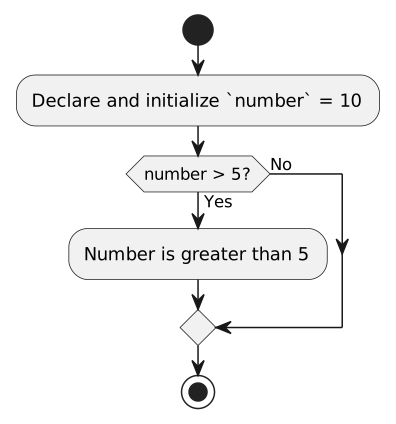
The if statement is used to execute a block of code if a specified condition evaluates to true. If the condition is false, the block is skipped.
int number = 10;
if (number > 5) {
    Console.WriteLine("Number is greater than 5");
}
if-else statement
The if-else statement provides an alternative block of code to execute when the condition is false.
int number = 3;
if (number > 5) {
    Console.WriteLine("Number is greater than 5");
} else {
    Console.WriteLine("Number is less than or equal to 5");
}

nested if statement
In a nested if, one if statement is inside another. It allows checking multiple conditions sequentially.
int number = 10;
if (number > 5) {
    if (number < 15) {
        Console.WriteLine("Number is between 5 and 15");
    }
}

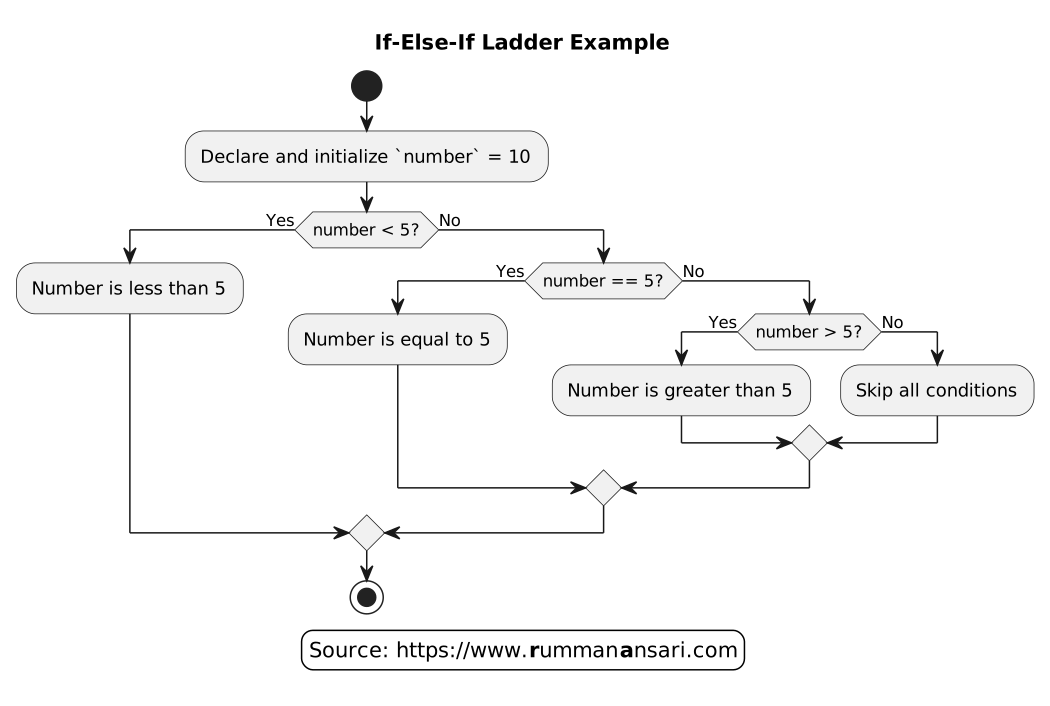
If-Else-If Ladder Example
The if-else-if ladder is used to test multiple conditions sequentially, where each else if provides another condition to check if the previous ones are false.
int number = 10;
if (number < 5) {
    Console.WriteLine("Number is less than 5");
} else if (number == 5) {
    Console.WriteLine("Number is equal to 5");
} else if (number > 5) {
    Console.WriteLine("Number is greater than 5");
}