🚀 Programming Example
Reading names and storing them in a text file
Learn this program step-by-step with algorithm, source code, output and detailed explanation.
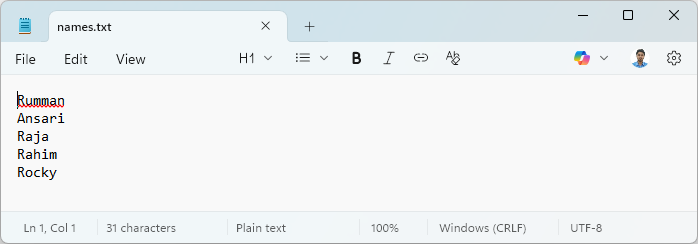
Rumman
Ansari
Raja
Rahim
Rocky
Rumman
Ansari
Raja
Rahim
Rocky
import java.io.*;
public class IO {
    static String fileName = ("names.txt");
    static InputStreamReader isr = new InputStreamReader(System.in);
    static BufferedReader stdin = new BufferedReader(isr);
    public static void main(String[] args) {
        try {
            FileWriter fw = new FileWriter(fileName);
            BufferedWriter bw = new BufferedWriter(fw);
            PrintWriter outFile = new PrintWriter(bw);
            for (int i = 0; i < 5; i++) {
                System.out.print("Enter Name : ");
                String name = stdin.readLine();
                outFile.println(name);
            }
            outFile.close();
        } catch (IOException e) {
            System.err.println(e);
        }
    }
}
First understand the algorithm carefully. Then study the program line-by-line and compare it with the output. Finally, review the explanation section to strengthen your logic and programming understanding.
Rewrite the program without looking at the code. Modify values, conditions or logic and run it again. This helps improve confidence and strengthens coding skills much faster.