Table of Contents
C# example that demonstrates the multithreading
Here's a simple C# example that demonstrates the multithreading concept as illustrated in your diagram:

Namespace required:
- System.Threading is a namespace in the .NET framework that contains classes and types for working with threading. It provides a variety of features for managing threads and coordinating their operations.
using System;
using System.Threading;

namespace ConsoleApp1
{
    class Program
    {
        static void Main(string[] args)
        {
            Console.WriteLine("Start Program");

            // Create threads
            Thread thread1 = new Thread(Task1);
            Thread thread2 = new Thread(Task2);
            Thread thread3 = new Thread(Task3);

            // Start threads
            thread3.Start(); // Start Thread 3 first
            thread1.Start(); // Start Thread 1 second
            thread2.Start(); // Start Thread 2 third

            // Wait for all threads to complete
            thread1.Join();
            thread2.Join();
            thread3.Join();

            Console.WriteLine("All Threads Complete");
        }

        static void Task1()
        {
            Console.WriteLine("Thread 1: Executes Task 1");
            // Simulate work
            Thread.Sleep(3000);
            Console.WriteLine("Thread 1 Complete (First)");
        }

        static void Task2()
        {
            Console.WriteLine("Thread 2: Executes Task 2");
            // Simulate work
            Thread.Sleep(2000);
            Console.WriteLine("Thread 2 Complete (Second)");
        }

        static void Task3()
        {
            Console.WriteLine("Thread 3: Executes Task 3");
            // Simulate work
            Thread.Sleep(3000);
            Console.WriteLine("Thread 3 Complete (Third)");
        }
    }
}
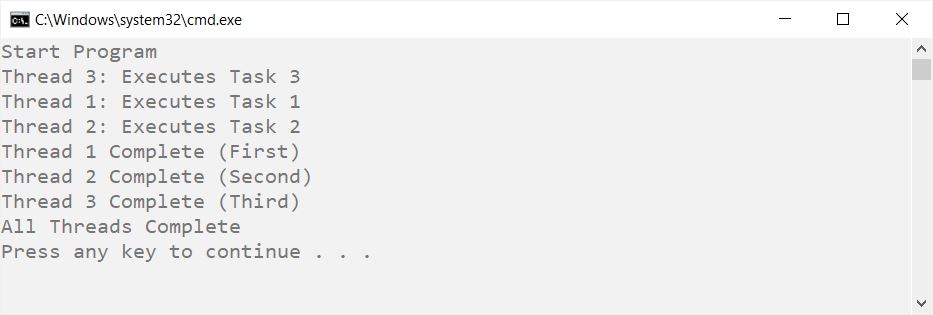
Output:
Start Program
Thread 3: Executes Task 3
Thread 1: Executes Task 1
Thread 2: Executes Task 2
Thread 1 Complete (First)
Thread 2 Complete (Second)
Thread 3 Complete (Third)
All Threads Complete
Explanation:
-
Main Method:
- Initializes and starts three threads: Thread 3, Thread 1, and Thread 2 in that order.
-
Task Methods:
- Each task method (
Task1,Task2,Task3) simulates work usingThread.Sleepto represent varying execution times. - After completing their tasks, each thread prints a message indicating completion.
- Each task method (
-
Thread Joining:
- The
Joinmethod is used to wait for each thread to finish before the program outputs "All Threads Complete".
- The
Key Points:
- The threads are started in a specific order, but their completion may vary based on the sleep duration, simulating the asynchronous nature of multithreading.