Table of Contents
Excel Text to Columns: A Step-by-Step Guide to Splitting Data
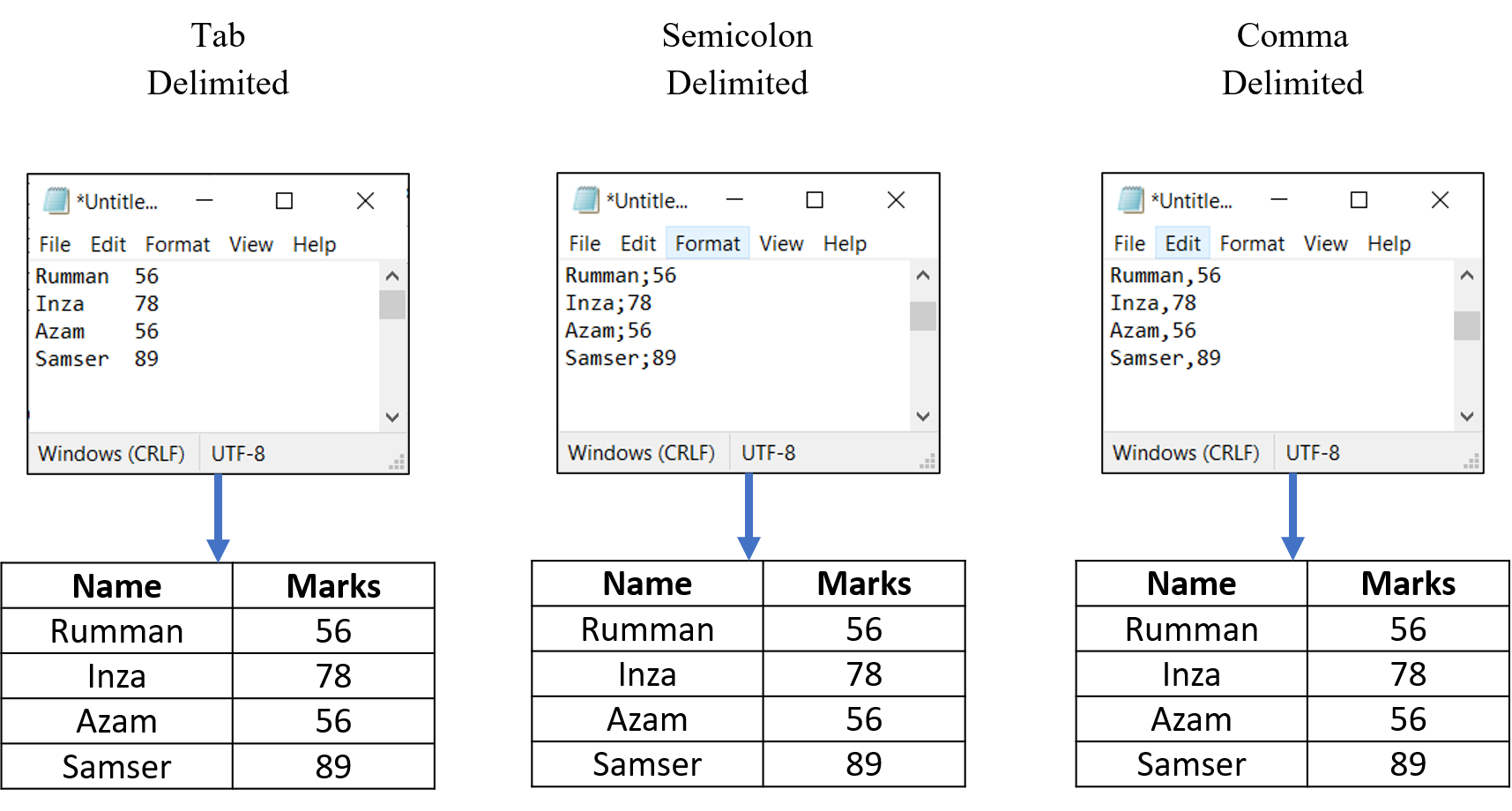
To separate the contents of one Excel cell into separate columns, you can use the 'Convert Text to Columns Wizard'. For example, when you want to separate a list of names and marks of students into two columns Name and Marks.
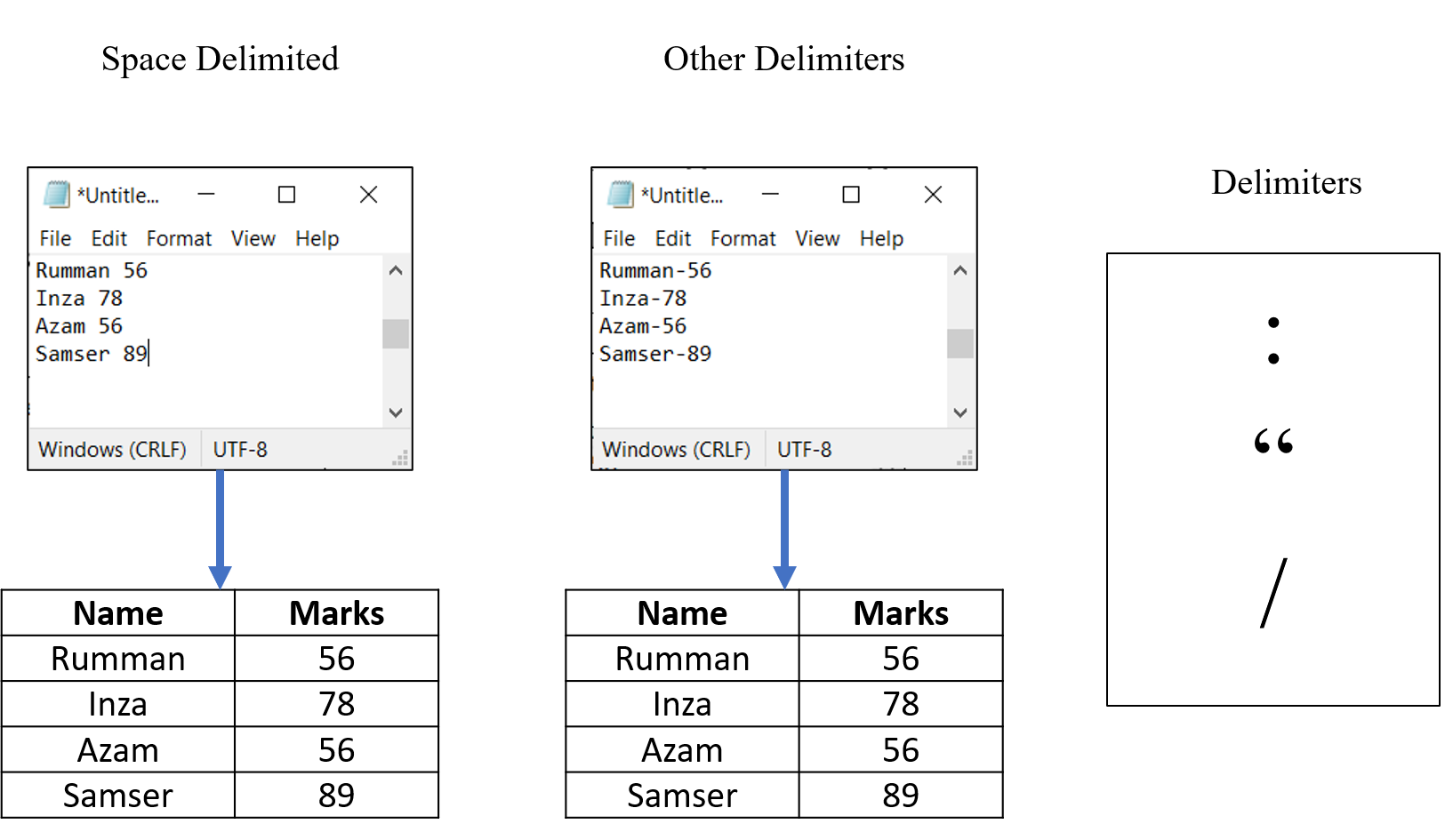
You can also apply.
Take text in one or more cells and split it into multiple cells using the Convert Text to Columns Wizard.
Step 1
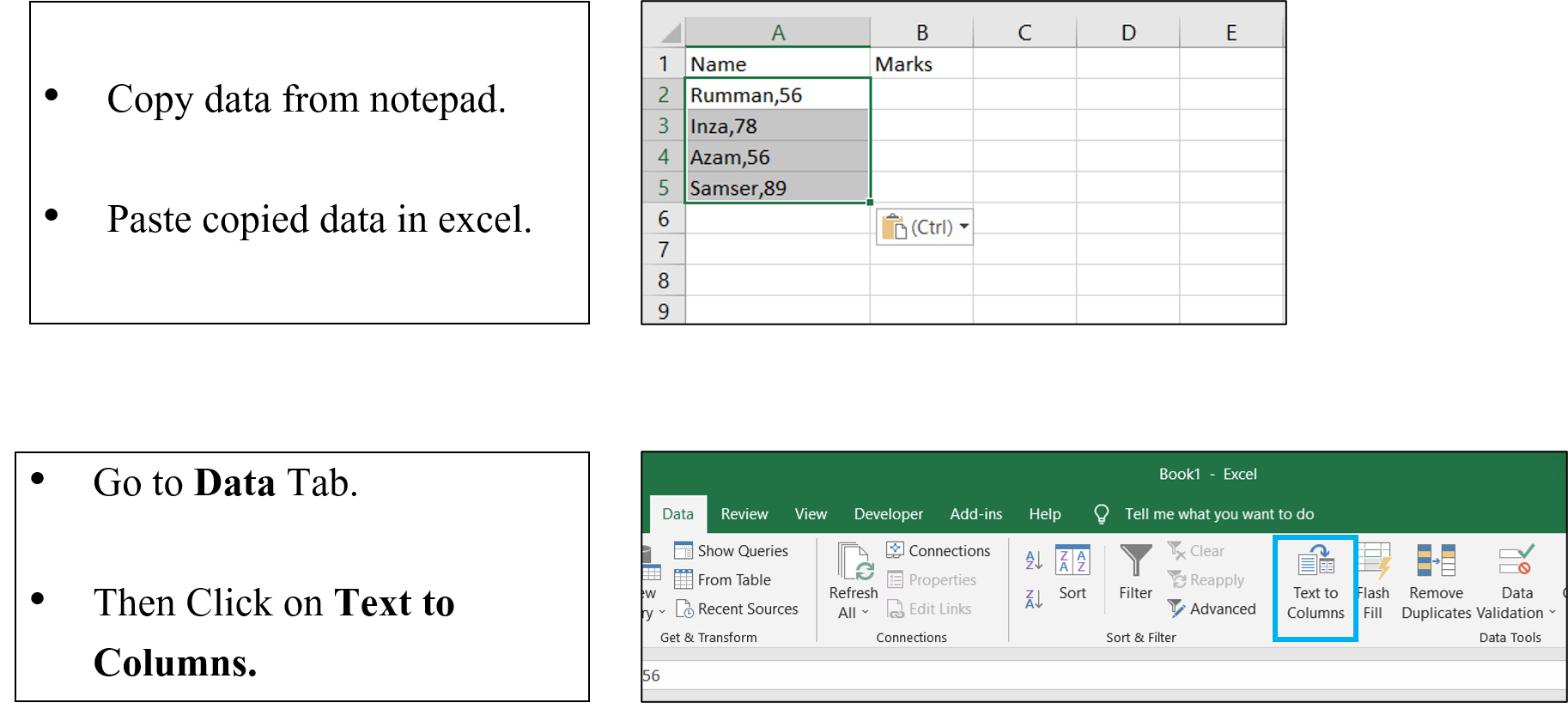
Step 2
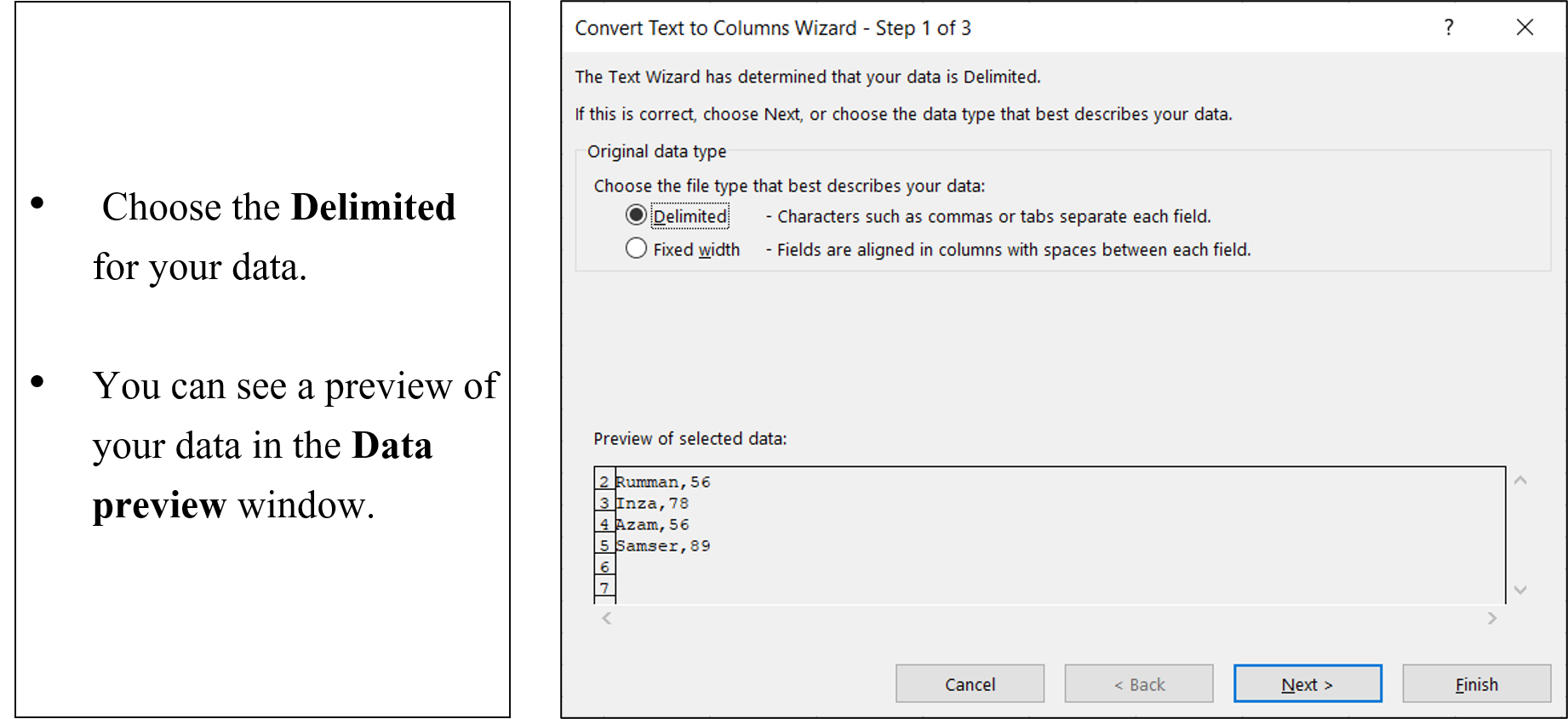
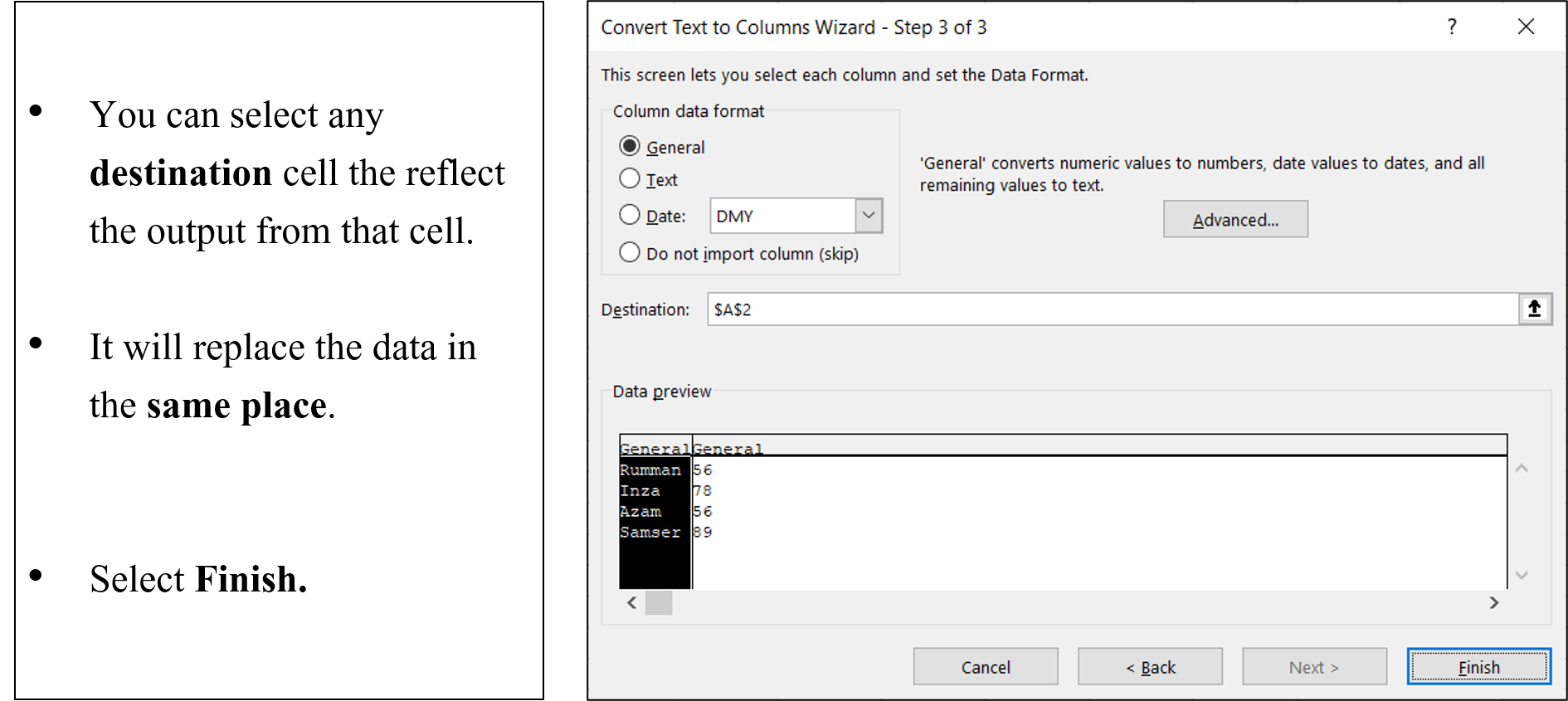
Step 3
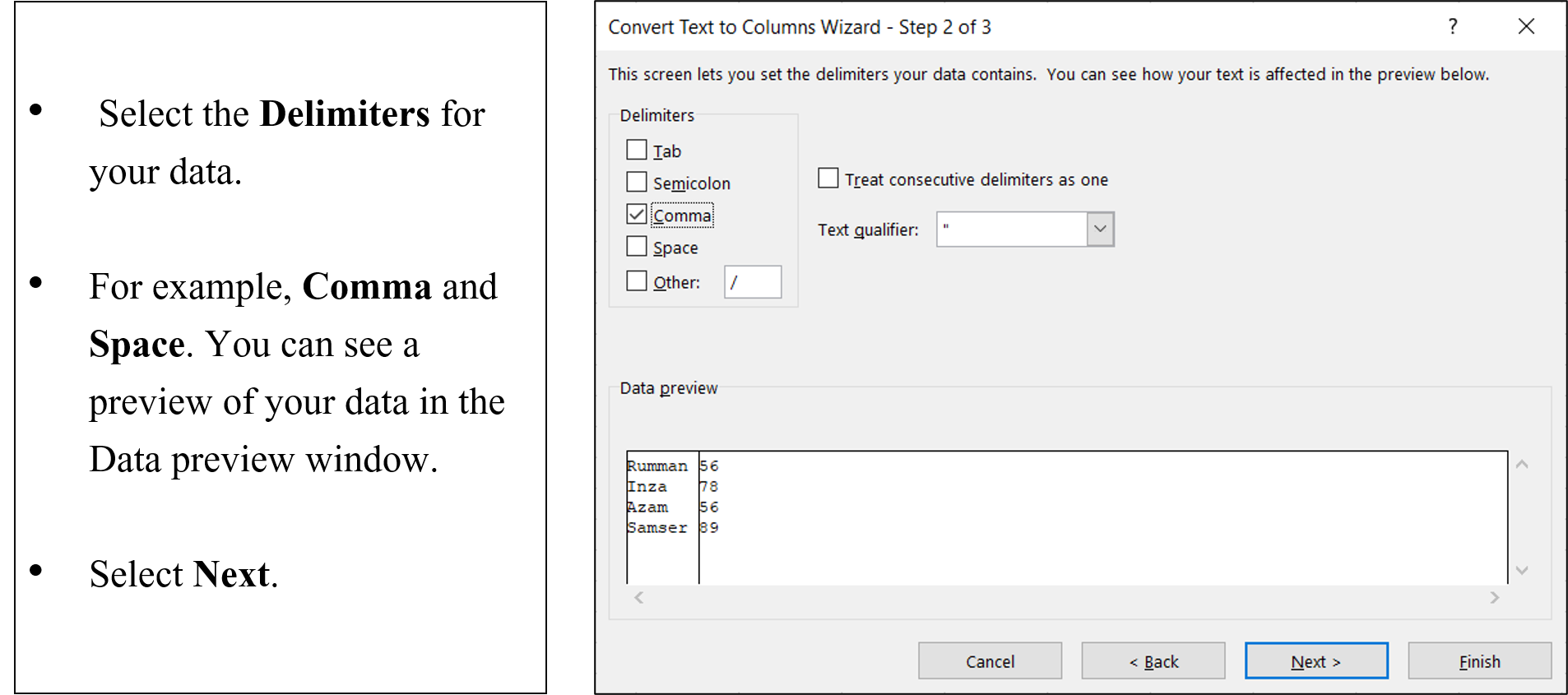
Step 4