🚀 Programming Example
Hello World using info()
Learn this program step-by-step with algorithm, source code, output and detailed explanation.
/// <summary>
/// Hello World using info().
/// </summary>
internal final class XppHelloWorld
{
    public static void main(Args _args)
    {
        info(""Hello World"");
    }
}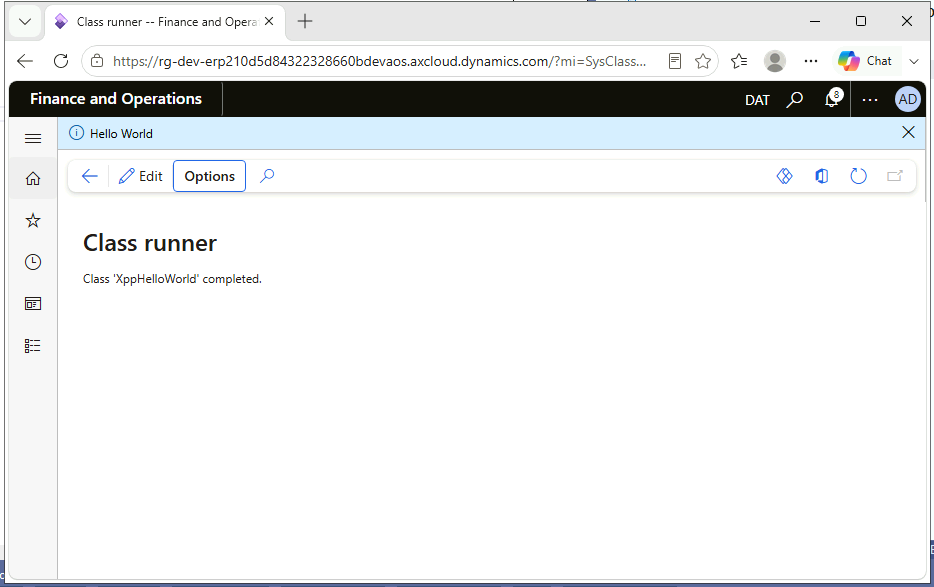
Every programming journey starts with "Hello World", and X++ is no different. This program writes the text Hello World to the Infolog, the message bar that Dynamics 365 Finance and Operations (D365 F&O) shows at the top of the browser. It looks very small, but it teaches three core ideas you will use in every X++ program: how a runnable class is structured, how the main() method acts as the entry point, and how info() sends a message to the user.
In older versions (Dynamics AX 2012) developers wrote quick tests as Jobs. In D365 F&O, Jobs no longer exist. They are replaced by runnable classes, which are normal classes that contain a static main() method.
1. The documentation header
///
/// Hello World using info().
///
The three lines starting with /// are an XML documentation comment. The compiler ignores them, but Visual Studio shows the summary as a tooltip wherever the class is used, and best-practice checks warn when public classes have no summary. Adding it from your first program builds a good habit.
2. The class declaration
internal final class XppHelloWorldinternal: the class can be used only inside its own model. Test and demo classes should not be visible to other models.final: no other class can extend it. A runnable demo class has no reason to be inherited.XppHelloWorld: the class name. It must match the element name in the AOT, and a common prefix (here Xpp) avoids name clashes with standard Microsoft objects.3. The entry point
public static void main(Args _args)When you run a class, the runtime looks for a method with exactly this signature. It is static because no object exists yet when the class starts. The Args parameter carries information about the caller, such as the record selected on a form or the menu item that started the class. This program does not use it, but the parameter must still be declared. The leading underscore in _args follows the X++ naming convention for parameters.
4. Printing the message
info("Hello World");info() is a global function that adds an information message to the Infolog. The text appears in the message bar after the code finishes. Every statement in X++ ends with a semicolon.
public static void main(Args _args). It replaces the AX 2012 Job.info() (blue), warning() (yellow) and error() (red).public, internal, protected and private control who can use a class or method.?mi=SysClassRunner&cls=XppHelloWorld.Hello WorldThe message appears in the Infolog bar at the top of the D365 F&O page. Click the message to open the full Infolog pane.
info("@MyModel:HelloWorld")) for user-facing text in real solutions so it can be translated. Hard-coded text is fine for practice.Args _args parameter. Without the exact signature, the class is not recognised as runnable.info() inside very large loops in production code.public static void main(Args _args) method.main() static?info(), warning() and error()?error() only shows a message. To stop execution, use throw error("...").Args class?_args.record()) or a parameter string (_args.parm()).mi=SysClassRunner&cls=ClassName.First understand the algorithm carefully. Then study the program line-by-line and compare it with the output. Finally, review the explanation section to strengthen your logic and programming understanding.
Rewrite the program without looking at the code. Modify values, conditions or logic and run it again. This helps improve confidence and strengthens coding skills much faster.
Sign in to save your progress and continue exactly where you left off.