Single Choice
Easy
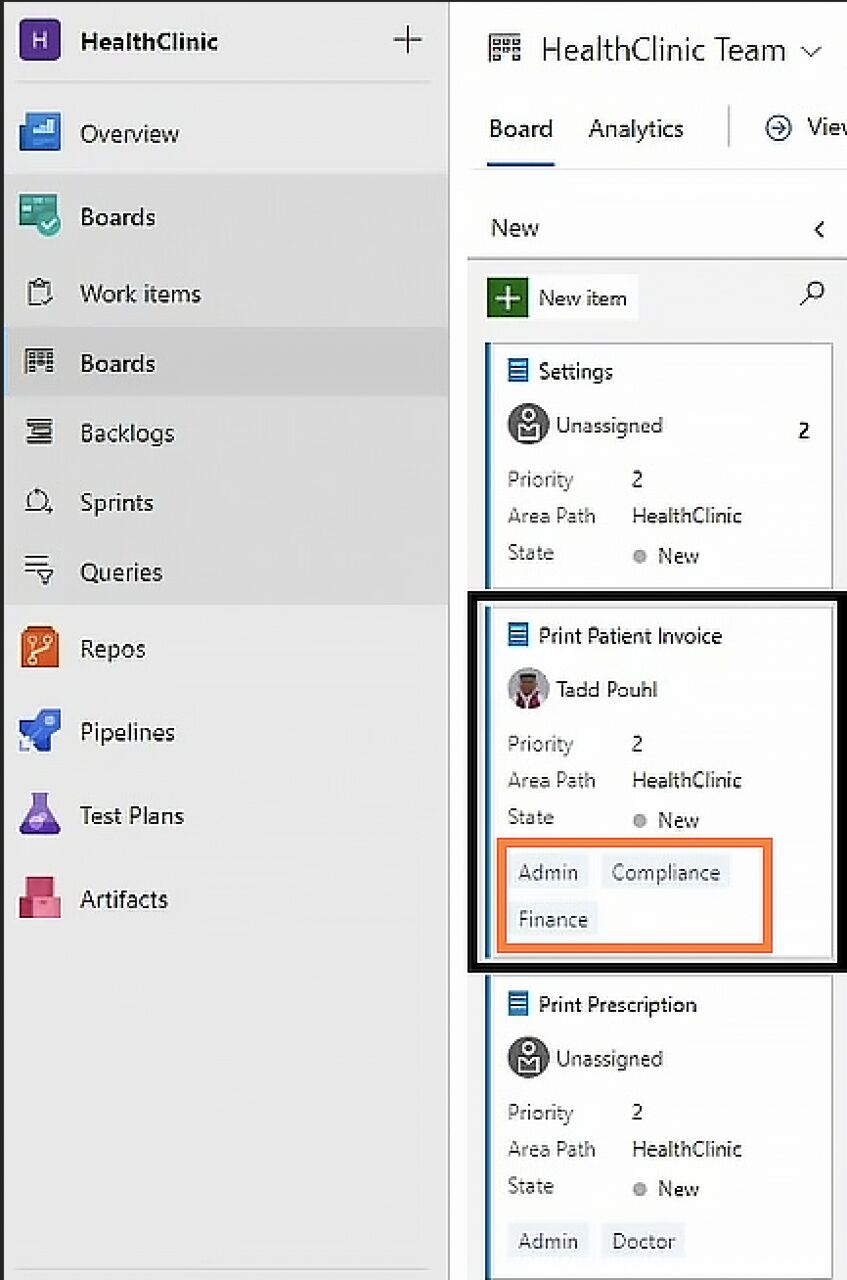
QThis screenshot shows a Kanban board with a card outlined in a black box and its tags outlined in an orange box. How can you begin the process of adding to these tags?
ID: #22692
Azure Boards - Azure DevOps
108 views
Question Info
#22692Q ID
EasyDifficulty
Azure Boards - Azure DevOpsTopic
Your Answer
Choose the Best Option
Click any option to instantly check if you're correct.
Correct Answer
Explanation
You can also remove and edit tags. Additionally, you can access the same screen using the ellipsis at the upper-right side of the card.
Option b:Incorrect - Selecting either of these will bring up a drop-down menu contained to the card. Neither will bring up any options to add a new tag.
Continue Practice
Share
Share This Question
Challenge a friend or share with your study group.
More from This Topic