Java substring() Method: Usage and Examples
You can obtain a single character from a string using the charAt method.
You extract a substring from a larger string with the substring method of the String class.
For example,
String example = "atnyla";
String s = greeting.substring(0, 4);
| Sl No. | Methods |
| 1 | substring(beginIndex: int):String |
| 2 | substring(beginIndex: int,endIndex: int):String |
creates a string consisting of the characters "atny" . Java counts the characters in strings in a peculiar fashion: the first character in a string has position 0, just as in C and C++. (In C, there was a technical reason for counting positions starting at 0, but that reason has long gone away, and only the nuisance remains.)
For example, the character 'a' has position 0 in the string "atnyla" , and the character 'l' has position 4. The second parameter of substring is the first position that you do not want to copy. In our case, we want to copy the characters in positions 0, 1, 2, and 3 (from position 0 to position 3 inclusive). As substring counts it, this means from position 0 inclusive to position 4 exclusive.
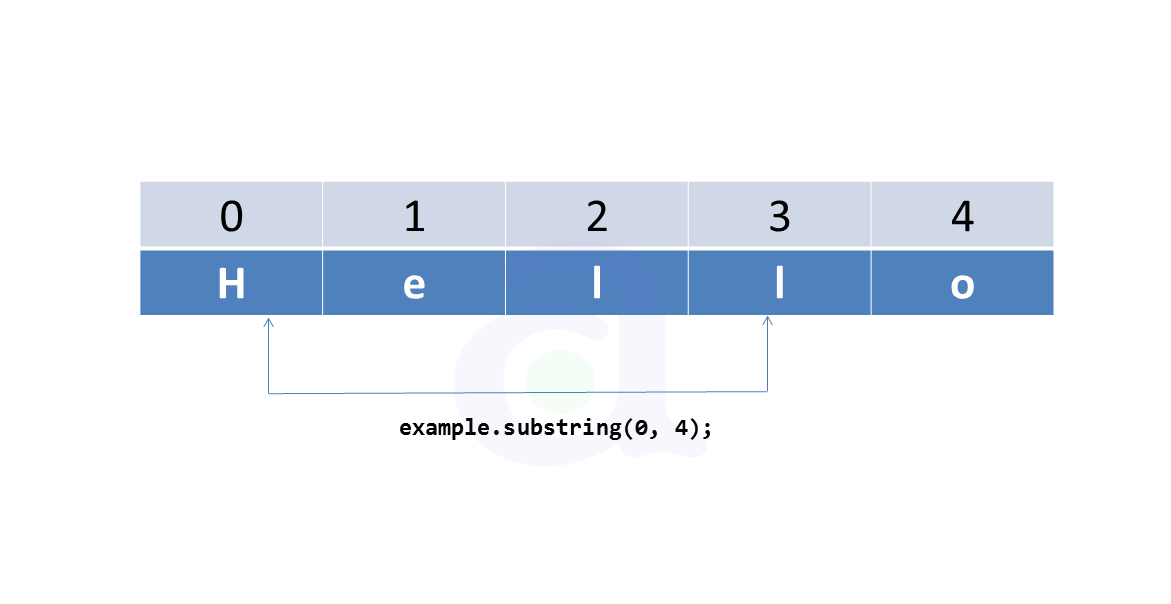
There is one advantage to the way substring works: it is easy to compute the length of the
substring. The string s.substring(a, b) always has b - a characters. For example, the
substring "atny" has length 4 – 0 = 4.
Program:
public class SampleString{
public static void main(String args[]){

    String example = "atnyla";
    String s = example.substring(0, 4);

	System.out.println(s);

	}
}
Output:
atny
Press any key to continue . . .
Remember:
Returns the string's substring that begins with the character at the specified beginIndex and extends to the end of the string.
Returns this string’s substring that begins at the specified beginIndex and extends to the character at index endIndex – 1,
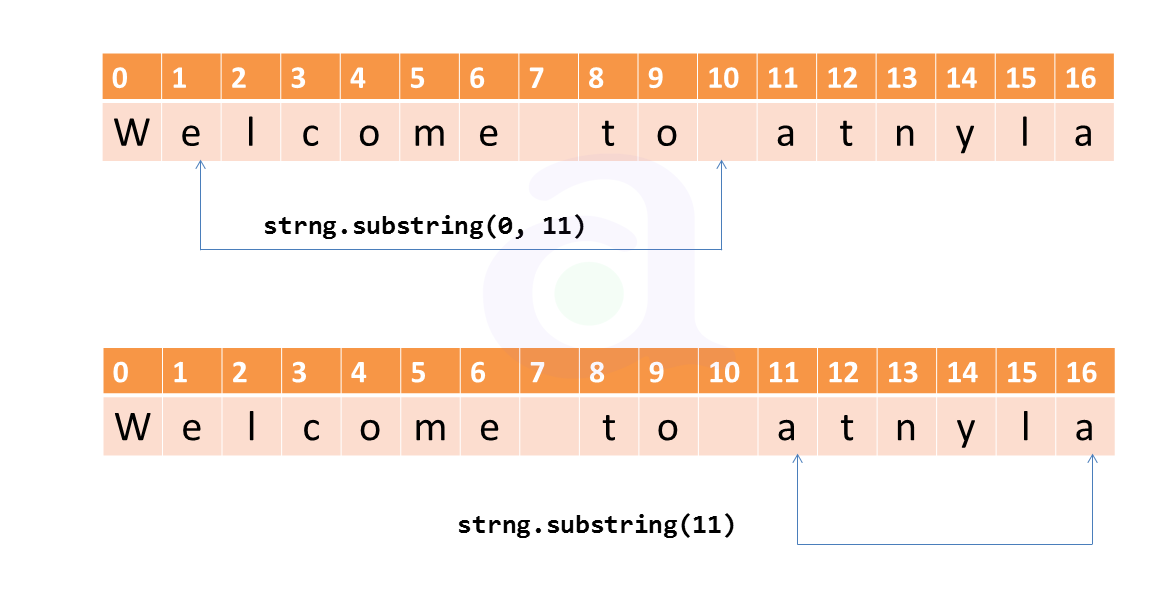
Example Method1: Program:
public class SampleString{
public static void main(String args[]){

    String strng = "Welcome to atnyla".substring(11 ) + "Java";

	System.out.println(strng);

	}
}
Output:
atnylaJava
Press any key to continue . . .
Example Method2: Program:
public class SampleString{
public static void main(String args[]){

    String strng = "Welcome to atnyla".substring(0,11 ) + "Java";

	System.out.println(strng);

	}
}
Output:
Welcome to Java
Press any key to continue . . .