How to Write a Basic Program in C: A Step-by-Step Guide
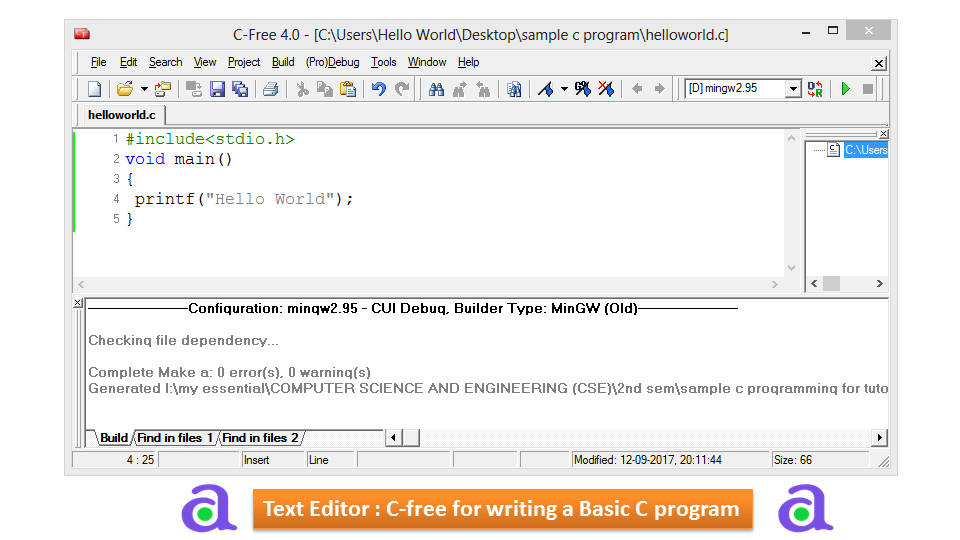
Programming in C language is very simple and it is easy to learn here I will show you how to write your first program. For writing C program you need C programming Editor or any IDE like codeblock, c-free, turbo c editor.
Download C Free (4.0) Software: Click Here to Download
Write Program in any IDE
Program
#include<stdio.h>
void main()
{
 printf("Hello World");
}
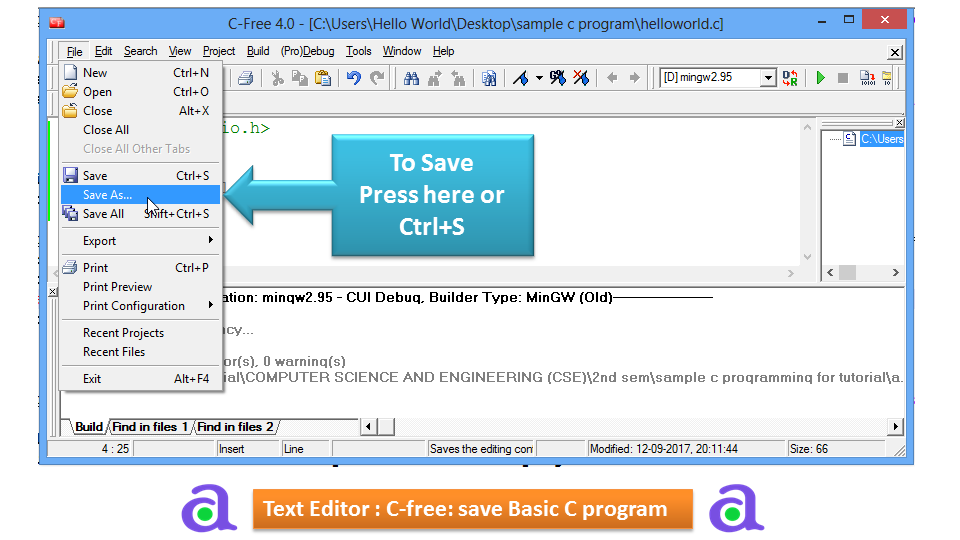
Save C program
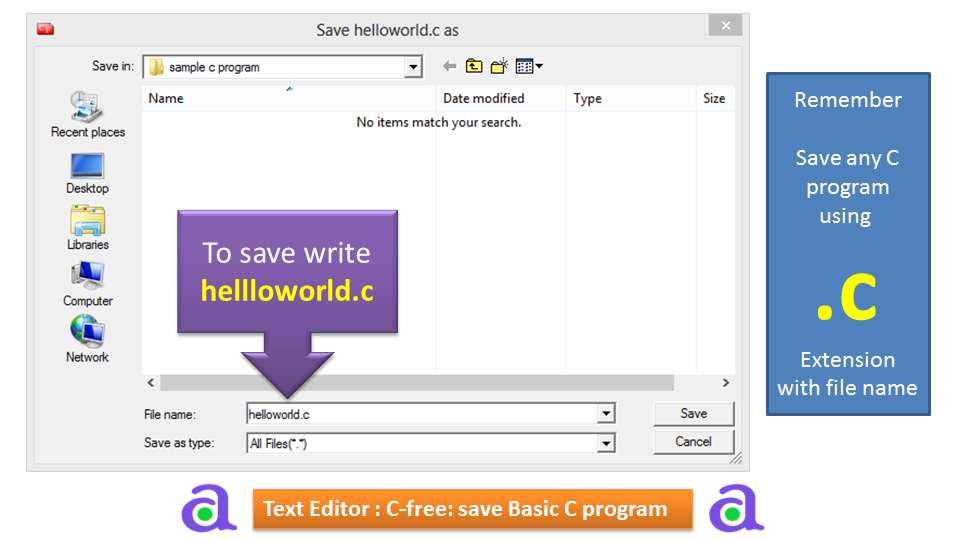
Save any C program using .c Extension with file name.
For example your program name is helloworld, then it save with helloworld.c
Always remember to save any c program we need to add .c extension.
Compile and Run C Program
Now compile the program
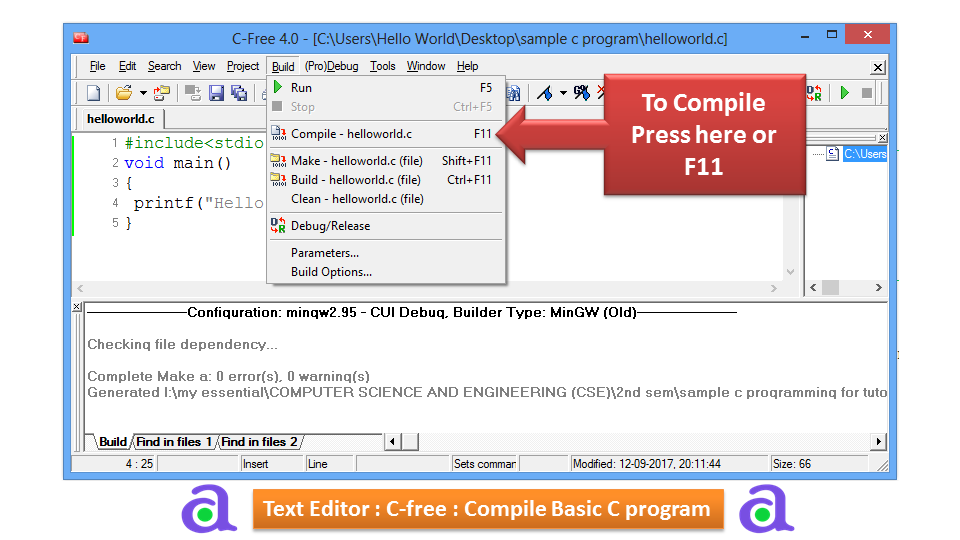
Now run the program
Output
Hello World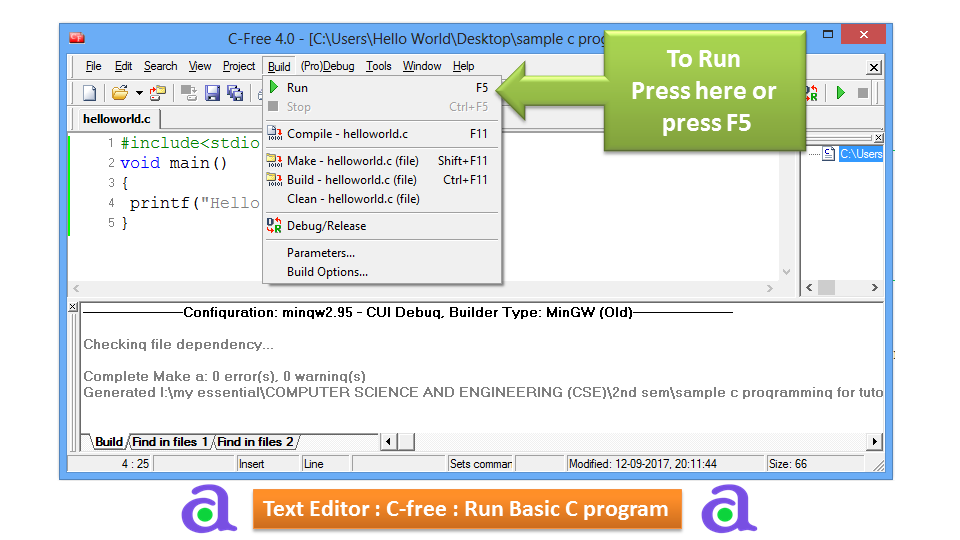
Explanation:
Let us take a look at the various parts of the above program:
-
The first line of the program #include
is a preprocessor command, which tells a C compiler to include stdio.h file before going to actual compilation. -
The next line int main() is the main function where the program execution begins.
-
The next line printf(...) is another function available in C which causes the message "Hello, World!" to be displayed on the screen.
-
The next line return 0; terminates the main() function and returns the value 0.
Compile and Execute C Program
Let us see how to save the source code in a file, and how to compile and run it. Following are the simple steps ?
-
Open a text editor and add the above-mentioned code.
-
Save the file as hello.c
-
Open a command prompt and go to the directory where you have saved the file.
-
Type gcc hello.cand press enter to compile your code.
-
If there are no errors in your code, the command prompt will take you to the next line and would generate a.out executable file.
-
Now, type a.out to execute your program.
-
You will see the output "Hello World" printed on the screen.
$ gcc hello.c
$ ./a.out
Hello, World!
Make sure the gcc compiler is in your path and that you are running it in the directory containing the source file hello.c