if-else Statement in C: Usage and Examples
If someone asks you whether a particular number is even or odd, you will most likely make the determination by examining the last digit of the number. If this digit is 0, 2, 4, 6 , or 8 , you will readily state that the number is even. Otherwise, you will claim that the number is odd.

An easier way for a computer to determine whether a particular number is even or odd is affected not by examining the last digit of the number to see whether it is 0 , 2 , 4 , 6 ,or 8 ,but by simply determining whether the number is evenly divisible by 2. If it is,the number is even;otherwise,it is odd.
Some Even Number
2  - Even Number
4  - Even Number
6  - Even Number
8  - Even Number
10 - Even Number
12 - Even Number
Some Odd Number
1  - Odd Number
3  - Odd Number
5  - Odd Number
7  - Odd Number
9 - Odd Number
11 - Odd Number
You have already seen how the modulus operator % is used to compute the remainder
of one integer divided by another. This makes it the perfect operator to use in determining
whether an integer is evenly divisible by 2. If the remainder after division by 2 is 0 ,it
is even; otherwise,it is odd.

Now let’s write a program that determines whether an integer value that the user types in is even or odd and then displays an appropriate message at the terminal—see Program 6.3.
Program
// Program to determine if a number is even or odd
#include
int main()
{
int number_to_test, remainder;
printf("Enter your number to be tested: ");
scanf("%i", &number_to_test);
remainder = number_to_test % 2;
if ( remainder == 0 ){
	printf("The number is even. \n");
	}
else{
	printf("The number is odd \n");
	}
return 0;
}
Output
Enter your number to be tested: 56
The number is even.
Press any key to continue . . .
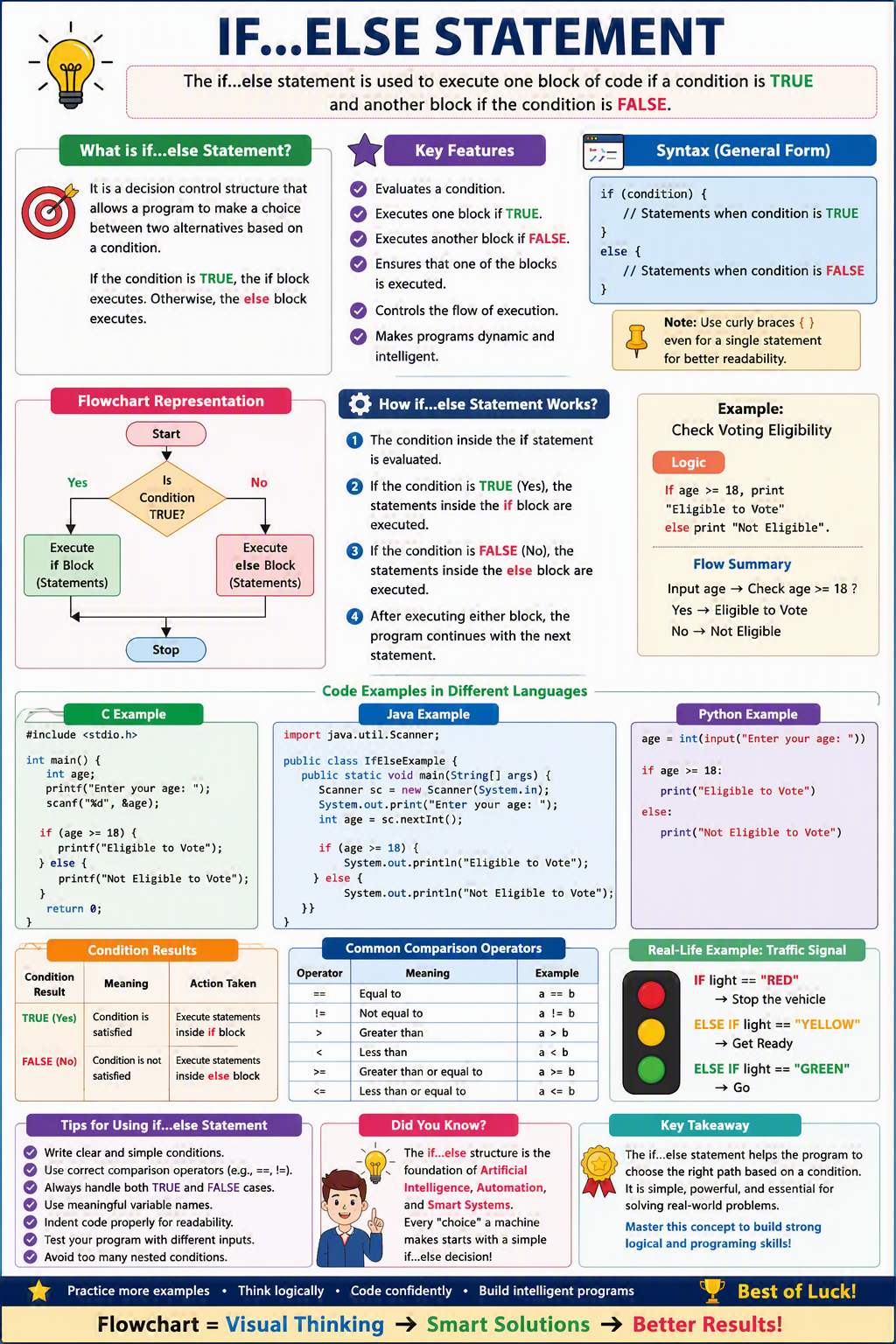
If-else statement also tests the condition. It executes the if block if condition is true otherwise else block is executed.
- The if else statement is a conditional branch statement.
- It tells your program to execute a certain section of code only if a particular test evaluates to true.
- If boolean Expression evaluates to true, the statements in the block following the if statement is executed.
- If it evaluates to false, else block is executed.
Syntax if-else Statement
if(condition){
	statement1(s);
	}
else
	{
	statement2(s);
	}
Flow Diagram

An if-else statement decides which statements to execute based on whether the condition is true or false.The if-else works like this: If the condition is true, then statement1 is executed. Otherwise, statement2 (if it exists) is executed. In no case will both statements be executed.
if(condition){
//code if condition is true
}else{
//code if condition is false
}
If the boolean expression evaluates to true, the statement(s) for the true case is executed; otherwise, the statement(s) for the false case is executed. For example, consider the following code
if (radius >= 0) {
area = radius * radius * PI;
printf("The area for the circle is %f ",area);
}
else {
printf("Negative input");
}
Practical approach of the above code
#include
    void main(){
	double radius, area, PI;
	PI=3.14f;
	radius = -1 ;

	  if (radius >= 0) {
	  area = radius * radius * PI;
      printf("The area for the circle is %f ",area);
     }
     else {
	  printf("Negative input \n");
	}
  }
Output
Negative input
Press any key to continue . . .
If radius >= 0 is true, the area is computed and displayed; if it is false, the message "Negative input" is displayed. In our program, the value of radius is -1 for that it displayed Negative input.