🚀 Programming Example
Print Your Name and Company
Learn this program step-by-step with algorithm, source code, output and detailed explanation.
/// <summary>
/// Print Your Name and Company.
/// </summary>
internal final class Ansari003_PrintNameCompany
{
    public static void main(Args _args)
    {
        str myName = "Rumman";
        info(strFmt("Hello, my name is %1 and I am working in company %2", myName, curExt()));
    }

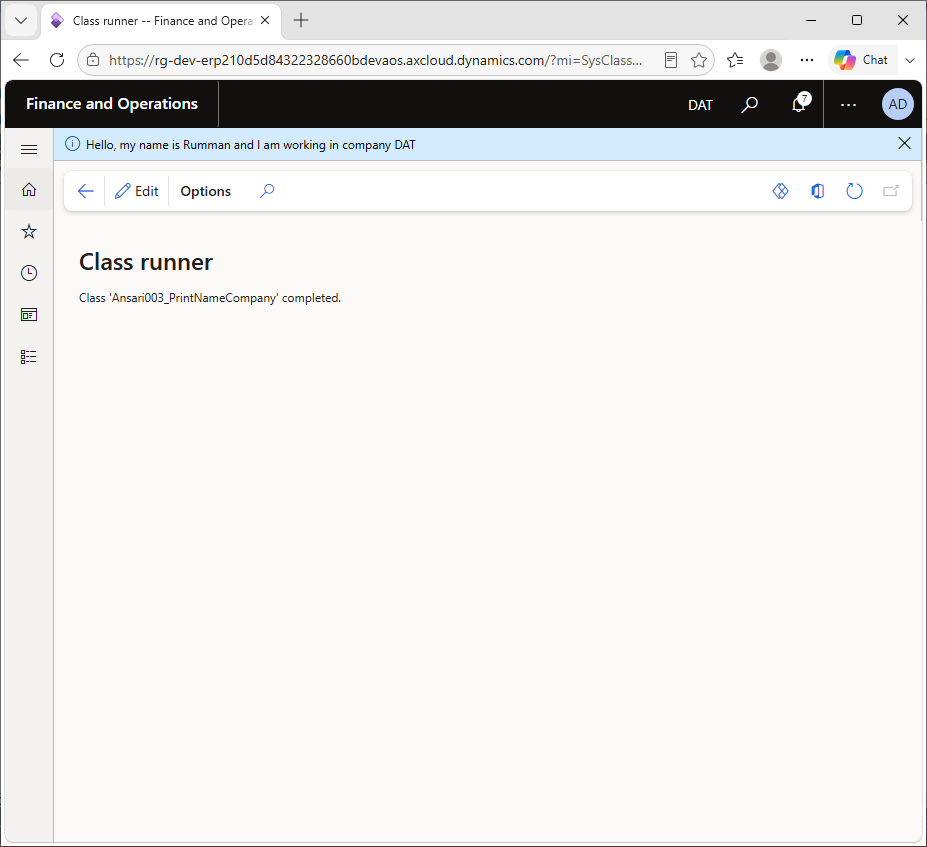
}
D365 F&O is a multi-company system. Every user session runs in one legal entity (for example USMF in the Contoso demo data), and most tables store data per company. This program prints a greeting with your name and the company the session is running in. It introduces two things you will use constantly: strFmt() for building messages, and curExt() for finding the current company.
Knowing the current company is essential when you write queries, create records or debug "missing data" problems. Very often the data exists, but in a different legal entity from the one the user is working in.
1. Storing the name in a variable
str myName = "Rahul";str is the X++ string type. A str declared without a length can hold any length of text. Replace Rahul with your own name to personalise the output.
2. Building and printing the message
info(strFmt("Hello, my name is %1 and I am working in company %2", myName, curExt()));This one line does three things:
curExt() returns the company ID (DataAreaId) of the current session, such as USMF.strFmt() replaces %1 with myName and %2 with the company ID. Placeholders are numbered, so their order in the text does not have to match the argument order.info() writes the finished sentence to the Infolog.DataAreaId field that the kernel filters automatically.curExt(): returns the current company ID. The same value is available as tableBuffer.DataAreaId on any company-specific record.strFmt(): supports up to nine placeholders (%1 to %9) and converts numbers, dates and enums to text automatically.changeCompany(): a statement that temporarily switches the company for a block of code, for example changeCompany("DEMF") { ... }.Hello, my name is Rahul and I am working in company USMFThe company ID depends on the company selected in the top-right corner of D365 F&O. If you switch to DEMF and run the class again, the output changes to DEMF.
strFmt() instead of joining strings with +. It is easier to read and works with translated labels.usmf).curExt().crossCompany keyword.curExt() first to confirm which company the code runs in.select crossCompany (optionally with a container of company IDs), or set query.allowCrossCompany(true).changeCompany("DEMF") { ... }. Remember to reset table buffers inside the block.%1 to %9.DataAreaId. It exists on tables whose SaveDataPerCompany property is Yes.First understand the algorithm carefully. Then study the program line-by-line and compare it with the output. Finally, review the explanation section to strengthen your logic and programming understanding.
Rewrite the program without looking at the code. Modify values, conditions or logic and run it again. This helps improve confidence and strengthens coding skills much faster.
Sign in to save your progress and continue exactly where you left off.