Home / Programs / How to set all the column value by a single TRUE value in the data frame
Programming Example

How to set all the column value by a single TRUE value in the data frame

👁 418 Views
💻 Practical Program
📘 Step by Step Learning

Here is your data frame. You have to change all the values present in the column PassOrFail to TRUE

Student <- data.frame(RollNo = 1:10,  Marks = c(10, 20, 30, 40, 50, 60, 70, 80, 90, 100), PassOrFail = c(F, F, F, F, F, T, T, T, T, T))
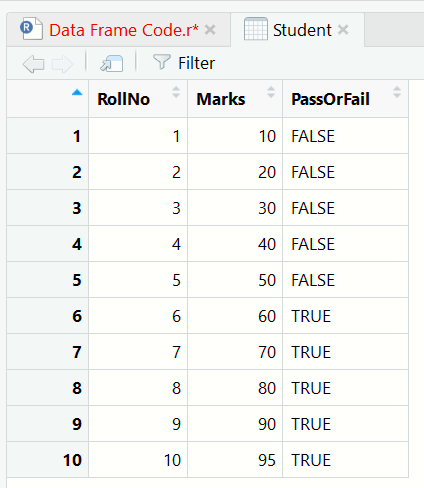
data frame, r language

Program Code

Student$PassOrFail = TRUE

Output

<img src="/library/images-tutorials/1.student_data_frame3.png" alt="data frame, r language" class="img-responsive">

Explanation

You can also use the above code like below

Student$PassOrFail = FALSE

How to learn from this program

First read the algorithm, then study the program code line by line. After that, compare the code with the output and finally go through the explanation. This approach helps learners understand both the logic and the implementation properly.