🚀 Programming Example
How to add a new column in the existing Data frame using R language
In this question we will add a new column to an existing data frame
In this question we will add a new column to an existing data frame
In this question we will add a new column to an existing data frame
Student <- data.frame(
RollNo = 1:10,
Marks = c(10, 20, 30, 40, 50, 60, 70, 80, 90, 100),
PassOrFail = c(F, F, F, F, F, T, T, T, T, T))
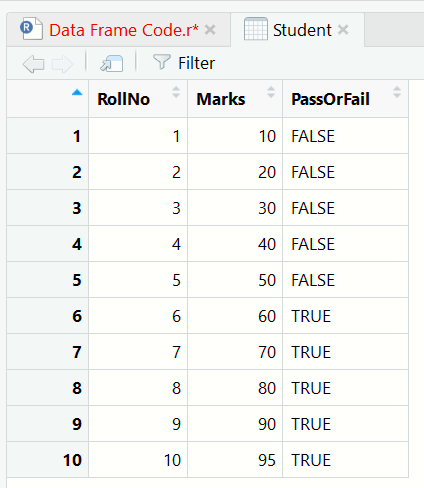
In this Data Frame we will add a column StudentName
> StudentName <- c("Rumman", "Inza", "Jaman", "Azam", "Samser","Kamran","Roman", "Ali", "Ansar", "Sfik")
> Student$StudentName <- StudentName
<img src="/library/images-tutorials/add-new-column-to-dataframe.png" alt="data frame, r language" class="img-responsive">

> str(Student)
'data.frame':	10 obs. of  4 variables:
 $ RollNo     : int  1 2 3 4 5 6 7 8 9 10
 $ Marks      : num  10 20 30 40 50 60 70 80 90 95
 $ PassOrFail : logi  FALSE FALSE FALSE FALSE FALSE TRUE ...
 $ StudentName: chr  "Rumman" "Inza" "Jaman" "Azam" ...
First understand the algorithm carefully. Then study the program line-by-line and compare it with the output. Finally, review the explanation section to strengthen your logic and programming understanding.
Rewrite the program without looking at the code. Modify values, conditions or logic and run it again. This helps improve confidence and strengthens coding skills much faster.