Table of Contents
How to Create a Database in SQL Server: A Step-by-Step Guide SEO Description
A SQL Server database can be created, altered and dropped
1. Graphically using SQL Server Management Studio (SSMS) or2. Using a Query
To create the database graphically
1. Right Click on Databases folder in the Object explorer2. Select New Database
3. In the New Database dialog box, enter the Database name and click OK.
Step: 1
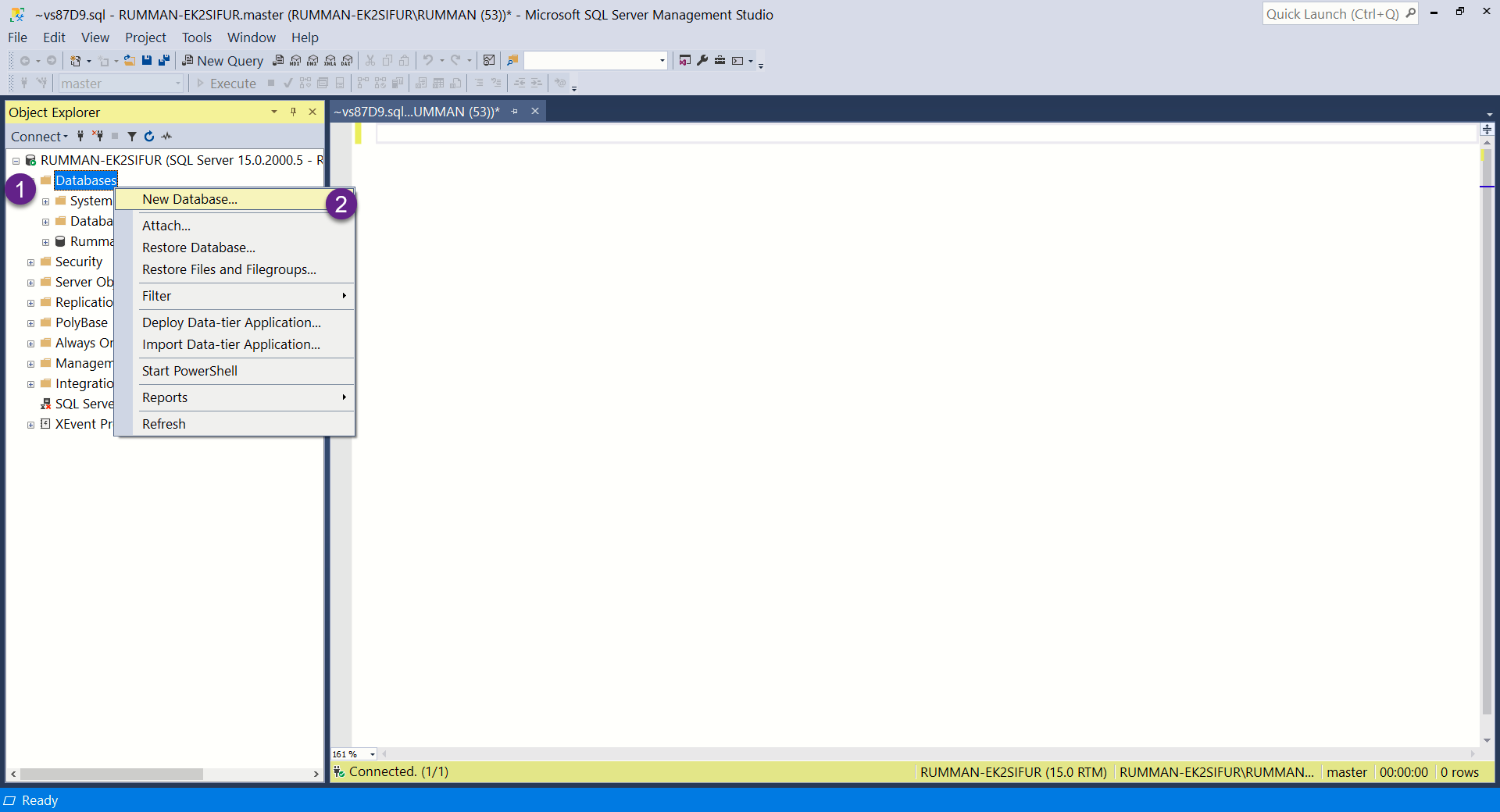
Step: 2
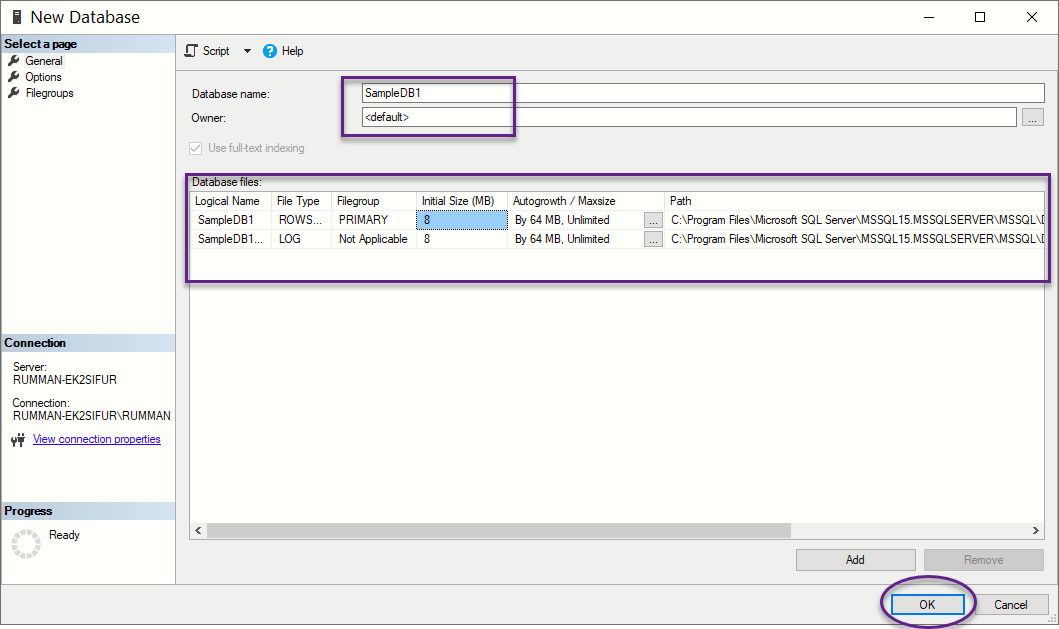
Step: 3
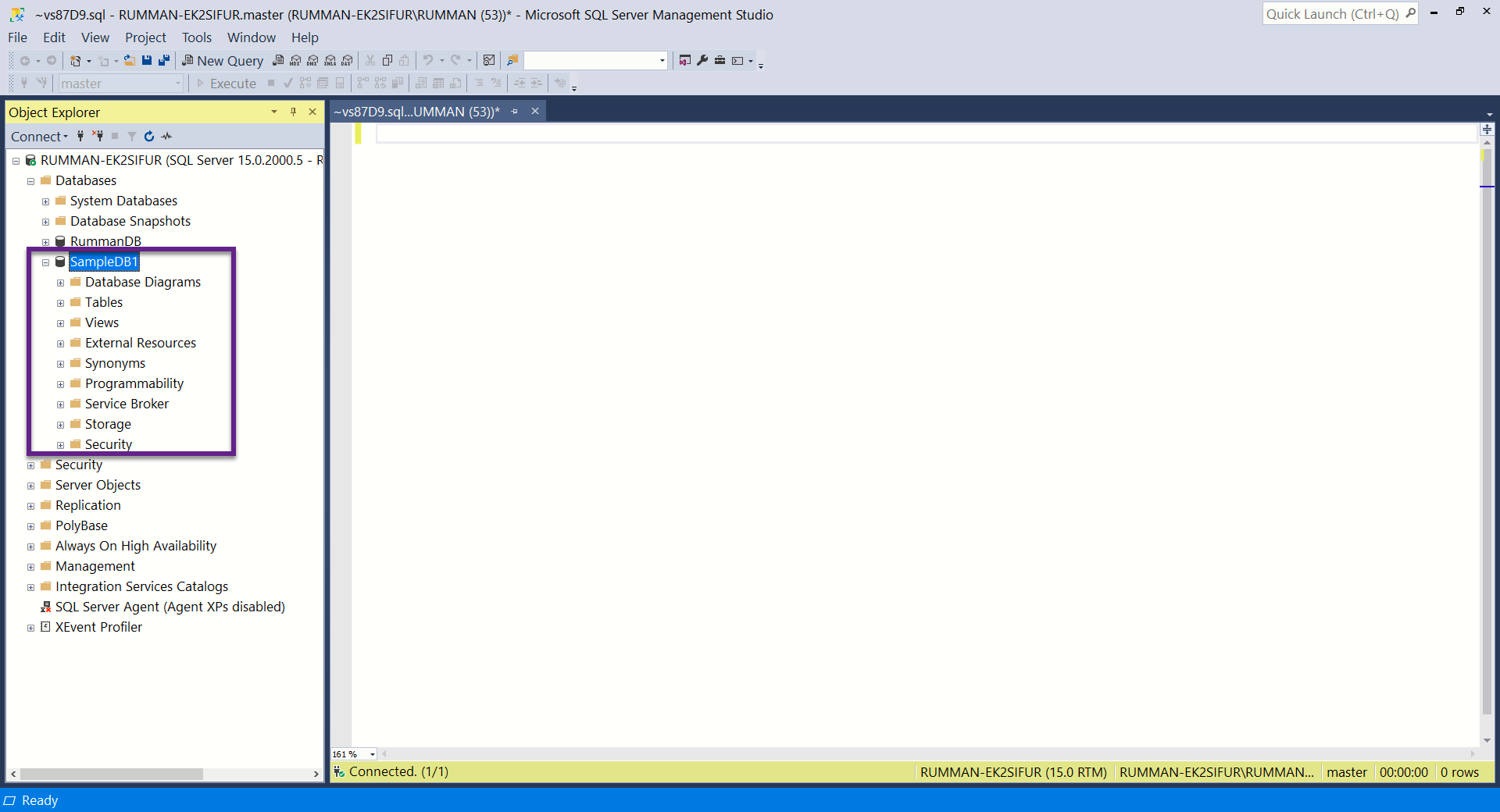
To Create the database using a query
Create database DatabaseNameWhether, you create a database graphically using the designer or, using a query, the following 2 files gets generated.
.MDF file - Data File (Contains actual data)
.LDF file - Transaction Log file (Used to recover the database)